Transparent mascot animation
Your mascot, moving, with no box around it.
Upload your mascot and get it back animated on a transparent background. Put it on any page, on any colour, in light or dark mode. Switch the background on this clip to see it.
Free to start · No card · Real clip shown
 pico.png · uploadedclip · your exact art
Formats
Which transparent file to use where.
No single format works everywhere, so you choose at download. A clip exports to all of these except Lottie and SVG.
| Where it's going | Use | Why |
|---|---|---|
| A website, the simple way | Animated WebP | Transparent in every current browser, and it goes in an ordinary image tag. Also works in Notion and most docs tools. |
| A website, as video | HEVC MOV + WebM | You need both. Safari and iPhone use the HEVC file and other browsers use the WebM. |
| An app or a game | Sprite sheet + JSON, PNG sequence or stacked-alpha MP4 | For engines and players that need frames or separate colour and alpha. The sprite sheet suits Unity, Godot and Phaser. |
| A tool that rejects WebP | APNG | Transparent with soft edges, but larger files. |
| Slack and email | GIF | GIF has no soft transparency, so the edges are blended with the colour of your page to stay clean. |
| Social posts and slides | MP4 on a colour | Plain MP4 can't be transparent, so it comes on a colour you choose. |
| Any size, smallest file | Lottie or animated SVG | Only for rebuilt vector characters. Transparent by nature and sharp at any size. |
On your page
Two ways to put it on a page.
As an image
The simplest choice. One file that works in every current browser, loaded like any other image.
<img src="mascot.webp" alt="Pico the alpaca waving" width="360" height="600">As a video
Keep the HEVC file first. Safari picks it, and every other browser moves on to the WebM.
<video autoplay loop muted playsinline width="360">
  <source src="mascot.mov" type='video/mp4; codecs="hvc1"'>
  <source src="mascot.webm" type="video/webm">
</video>
Clip or vector
Keep your exact art, or rebuild it.
A clip is your drawing, moving, as video. A rebuild is our vector redraw with joints, so it recolours, scales and plays every preset. It's close rather than identical, so drag the slider to compare real uploads.
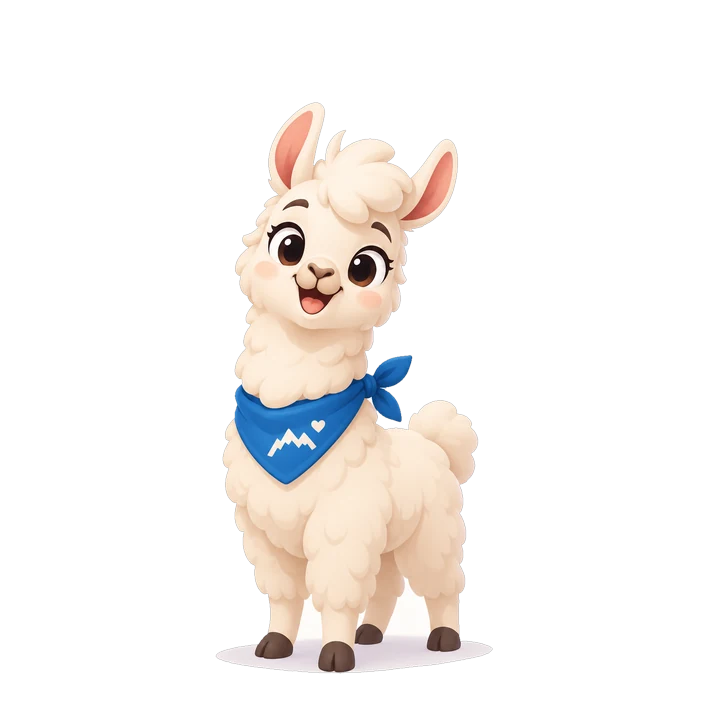
layers: body · leg_back_l · leg_back_r · tail · leg_r · leg_l · ear_r · ear_l · head · eyes · mouth · bandana
Instant motion
Fifteen moves, ready before you've paid a cent.
Presets are fitted to your character's rig, so they play instantly and cost nothing. Need something specific? Ask for it in plain words.
Or ask for it
do a tiny victory hop, then look embarrassed about it
Added victory-hop · 1.6 s · loops
custom motions use credits · cost shown before you confirm
FAQ
Transparent animation questions.
Can an MP4 have a transparent background?
No, not a standard MP4. For transparent video on the web you need WebM and HEVC. Lumorig also exports a stacked-alpha MP4, which holds colour and transparency side by side for apps and games that can read it.
Why is my transparent WebM black in Safari?
Safari doesn't show transparency in WebM. List an HEVC file first and the WebM second, as in the example on this page, and each browser picks the one it can show. An animated WebP in an image tag avoids the problem altogether.
Is a transparent GIF good enough?
For Slack and email, yes. GIF pixels are either fully see-through or fully solid, so soft edges can look rough on a colour it wasn't made for. On your own pages, animated WebP looks cleaner.
Can I animate the mascot I already have?
Yes, if you have the rights to it. Upload the picture and choose motion clips that keep your exact art (60 credits each) or a rebuild as a rigged vector (150 credits).
What do I get on the free plan?
You start with 100 credits, once. Clips download on Free as animated WebP or GIF, with a small mark, up to 512 px. Maker and Studio get every format without the mark.
Will the edges look clean on a dark background?
That's what we check for: the background is removed frame by frame and the edges are cleaned up. Use the buttons at the top of this page to see a real clip on light, dark and brand colours.
Keep exploring
- Animate your mascot Upload the mascot you already have and get it back rigged, with 15 motions and custom animation.
- Lottie generator Generate true-vector Lottie character animations (no embedded bitmaps) from a prompt or an upload.
- Vector mascot generator Mascots as real vector: SVG stills, animated SVG, logo badges and palette tokens you can recolour.
- App mascot A guide character for onboarding, empty states and streaks that weighs kilobytes, not megabytes.
- Export guide Every format, size and option in the docs.
Lose the white box.
Upload your mascot and see it on your own colours.